


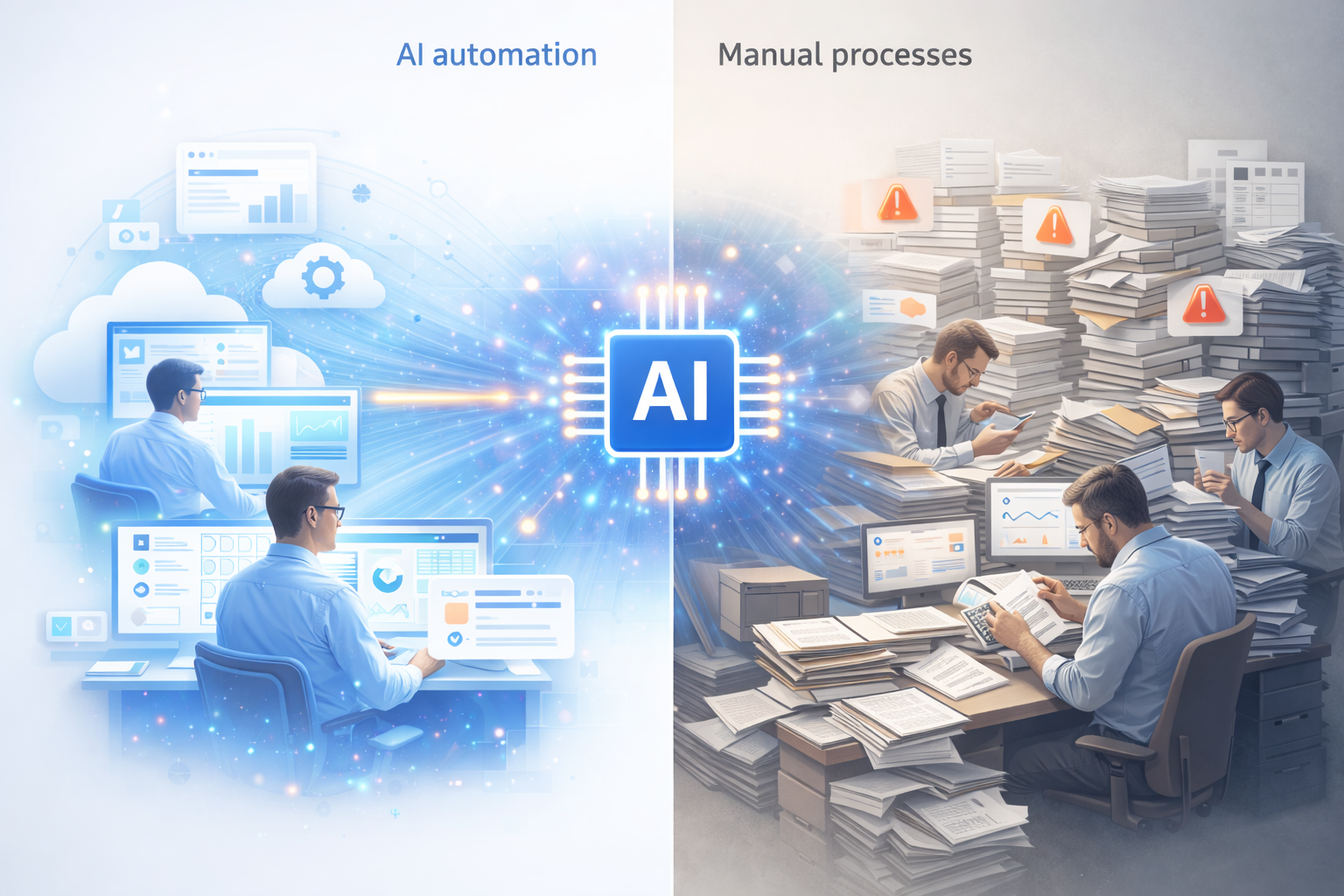
A successful business AI adoption strategy separates market leaders from followers. Imagine two manufacturing companies, similar size, same industry, competing for the same customers. Both are at a crossroads today. One chooses to systematically adopt AI starting in 2025. The other decides to wait and see how things play out.
Fast forward to 2030. Company A processes three times more orders with the same headcount, responds to customer inquiries in minutes instead of hours, and consistently underbids Company B while maintaining better margins. Company B is struggling to catch up but finds the gap nearly impossible to close.
This isn’t a story about technology—it’s a story about mindset. The gap between proactive and reactive businesses isn’t closing. It’s accelerating. And unlike previous technology waves where late adopters could eventually catch up, AI creates compounding advantages that make the gap nearly impossible to close.
The Reactive Trap: Why Some Business AI Adoption Fails
Most businesses are waiting. They have perfectly logical reasons:
- “We’ll adopt AI when our competitors do” – But by then, competitors will have years of learning and optimization built in.
- “The technology isn’t mature enough yet” – Meanwhile, thousands of businesses are using AI successfully right now.
- “We need to see proven ROI first” – But the companies proving ROI are your future competitors pulling ahead.
- “We can’t disrupt our existing workflows” – So those workflows stay manual, slow, and expensive forever.
These aren’t bad reasons—they’re risk-averse thinking in an environment where the biggest risk is inaction. While you wait for certainty, competitors are building advantages that compound daily.
What Proactive Business AI Adoption Strategy Really Means
Proactive doesn’t mean adopting every new AI tool. It’s not about chasing technology for technology’s sake.
Proactive means systematically identifying where your business is wasting human time on tasks AI can handle. It means building a continuous discovery process for automation opportunities. It means testing, learning, and iterating rather than waiting for the perfect solution.
The proactive business AI adoption strategy has three clear steps:
- Discover your unique pain points and repetitive processes
- Use AI tools to research automation options for those specific problems
- Assess whether your data is ready for AI implementation
A successful business AI adoption strategy requires systematic execution of each step.
Let’s walk through each step.
Step One: Discovering Your Unique Pain Points for AI Adoption
Here’s what most businesses get wrong: they start with the technology. They ask “What can AI do?” instead of “What problems are costing us the most time and money?”
Your pain points aren’t the same as your competitor’s. A healthcare practice has different bottlenecks than a manufacturing plant. A professional services firm wastes time differently than an e-commerce business. Cookie-cutter solutions miss the point entirely.
The first step in proactive AI adoption is systematic discovery of where your business is bleeding time and resources. Here are three proven methods:
Method 1: The Time Audit
Have 5-10 employees across different roles track their time in 30-minute blocks for one full week. Categorize every activity:
- High-value work (strategy, problem-solving, customer relationships, creative work)
- Administrative/repetitive tasks (data entry, document creation, searching for information)
- Waiting time (for approvals, for information, for other people)
Most businesses discover that 30-50% of employee time falls into the last two categories. That’s your automation opportunity.
Method 2: The Frustration Survey
Ask every employee three questions:
- What tasks waste the most time in your workday?
- If you had an assistant, what would you delegate first?
- What causes the most delays in getting your work done?
Compile responses and look for patterns. When the same pain point appears across multiple departments or roles, you’ve found a high-impact target for automation.
How to Create and Distribute the Survey:
You don’t need expensive survey software. Free tools work perfectly:
- Google Forms – Easy to create, share via link or email, automatically compiles responses in a spreadsheet
- Typeform – More visually appealing interface, good response rates
- SurveyMonkey – Free tier available, solid analysis features
- Microsoft Forms – Included with Microsoft 365, integrates with existing tools
Using AI to Design Your Survey:
Rather than starting from scratch, use AI tools like ChatGPT or Claude to help you create targeted questions. Simply describe what you’re trying to learn:
“I need to create an employee survey to identify repetitive tasks and bottlenecks in our [type of business]. We have teams in [departments]. Can you help me create 5-7 survey questions that will reveal where AI automation could help?”
The AI will generate questions specific to your business type, suggest answer formats (multiple choice vs. open-ended), and help you avoid common survey mistakes like leading questions or ambiguous phrasing.
Pro tip: Keep it anonymous. Employees are more honest about frustrations and time-wasters when responses can’t be traced back to them.
Method 3: Process Flow Mapping
Map your 3-5 most critical business processes from start to finish. For each step, identify:
- Where do handoffs between people or systems happen?
- Where do things sit waiting for someone’s action?
- Where is data manually re-entered or moved between systems?
- Where do errors most frequently occur?
These friction points are where AI can have immediate impact.
What Pain Points Look Like (Real Examples)
To illustrate how different businesses have unique pain points, consider these real discoveries:
Healthcare Practice: Staff spent 12 hours per week on appointment scheduling and reminder calls. Patient forms required manual data entry into multiple systems. Insurance verification involved calling insurers and waiting on hold. Finding patient records meant searching through disconnected systems.
Manufacturing Company: Quality control relied on random sampling, so defects were discovered too late. Production orders required creating the same paperwork repeatedly. Inventory status was unclear—parts were somewhere but no one knew where. Shift handoffs lost critical information.
Professional Services Firm: Contract creation consumed 10 hours per week per person, mostly copying standard language. Client proposals required assembling information from multiple sources. Finding past project examples meant asking around. Administrative work ate billable time.
Notice how different these are? Your pain points will be unique to your business, your industry, and your specific workflows. The goal isn’t to match someone else’s list—it’s to discover your own.
Step Two: Using AI to Research Your Business AI Adoption Options
Once you’ve identified your specific pain points, you don’t need to become an AI expert. Tools like ChatGPT, Claude, and other AI assistants can help you research which AI capabilities map to your specific problems.
The process: Describe your pain point in plain language and ask what AI technologies could help automate it.
Example 1:
“We spend 8 hours a week manually entering data from supplier invoices (PDFs) into our accounting system. What AI capabilities could automate this?”
An AI assistant will explain relevant technologies like OCR (Optical Character Recognition), text extraction AI, automated data validation, and system integration options. You’ll learn what’s possible without needing technical expertise.
Example 2:
“Our customer support team answers the same basic questions repeatedly—order status, return policies, shipping timelines. Can AI handle this?”
The AI will describe conversational chatbots, knowledge base integration, natural language understanding, and how to handle edge cases where human intervention is still needed.
Example 3:
“We create 20-30 customized contracts per month. Each takes 2-3 hours because we’re copying and modifying standard clauses. How could AI help?”
The AI will explain template-based generation, variable substitution, content assembly systems, and version control options.
This research phase helps you understand not just what’s possible, but what specific AI capabilities you need. You’ll learn the right terminology for evaluating solutions and talking to vendors. You’ll understand implementation requirements and potential challenges.
The key: Be specific about your pain point. Don’t ask “Can AI help my business?” Ask “Can AI automate [specific task] that currently takes [X hours] and involves [specific steps]?”
Step Three: The Critical Question—Are You Ready for AI?
This is where most business AI adoption strategy efforts fail. Not because the technology doesn’t work. Not because the pain points aren’t real. But because businesses skip the hardest question:
Is your data ready for AI?
AI is only as good as the data it can access. Without clean, accessible data, even the most sophisticated AI will fail. This is the uncomfortable truth that vendors don’t emphasize and businesses don’t want to hear.
You can identify the perfect pain point. You can research the ideal AI solution. You can have budget approved and a vendor selected. But if your data isn’t ready, your AI implementation will disappoint.
The Three Data Readiness Questions
Before implementing any AI solution, honestly assess these three factors:
1. Can AI Actually Access Your Data and Documents?
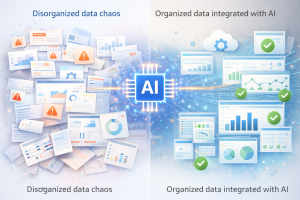
Where do your data and documents currently live? Is it scattered across email attachments, locked in individual employees’ computers, trapped in paper filing cabinets? Or is it centralized in cloud storage, accessible databases, and connected systems with APIs?
Example: A company wants AI to auto-generate customer proposals. Their customer data is in Salesforce (accessible), but pricing lives in Excel files on employees’ desktops (not accessible), past proposals are scattered across email (not accessible), and templates are on someone’s hard drive (not accessible). The AI can only work with 25% of what it needs.
The test: Could a new employee find the data and documents they need without asking five different people where things are stored? If not, AI won’t find it either.
2. Is Your Data Clean?
AI learns from patterns in your data. Messy data creates messy AI. Common problems:
- Inconsistent formatting: The same customer appears as “ABC Corp,” “ABC Corporation,” “ABC Corp.,” and “A.B.C. Corp” in different records. AI can’t reliably match them.
- Missing information: 30% of customer records are missing email addresses. Product descriptions are incomplete. AI can’t fill in blanks—it needs complete data.
- Duplicate records: The same vendor exists in your system five times under slightly different names. AI treats each as a separate entity.
- Outdated information: Contact information from three years ago. Pricing that hasn’t been updated. AI learns from old patterns and makes outdated recommendations.
The test: Can you generate a clean list of all active customers without spending hours manually cleaning up data? If not, your data quality needs work.
3. Is Your Data Structured for Automation?
Even accessible, clean data can be organized in ways that AI struggles to use.
Unstructured data (hard for AI): Critical information buried in free-text notes. Inconsistent file naming. No standardized categories or tags. Information stored as images without searchable text.
Structured data (AI-ready): Standardized fields and categories. Consistent templates and formats. Proper metadata and tags. Searchable, organized, categorized information.
Example: Customer support tickets entered as free-form email text with no categories make it nearly impossible for AI to identify patterns or automate responses. The same tickets with standardized fields (category, priority, product, issue type) give AI clear patterns to learn from.
The test: Could a new employee understand and use your data without extensive training? If your data requires “tribal knowledge” to interpret, it’s not structured enough for AI.
The AI Readiness Scorecard
For each pain point you’ve identified, score these three factors on a scale of 1-5 (where 5 is fully ready):
- Data & Document Accessibility: Can AI reach what it needs? (1 = scattered everywhere, 5 = centralized and accessible)
- Data Quality: Is it clean and consistent? (1 = major issues, 5 = well-maintained)
- Data Structure: Is it organized for automation? (1 = unstructured chaos, 5 = standardized formats)
Total your score out of 15:
- 12-15 points: Green light. Your data is ready—implement AI now.
- 8-11 points: Yellow light. Address data issues while implementing—start small and improve as you go.
- 4-7 points: Red light. Fix your data foundation first, or your AI implementation will fail and waste money.
This scorecard gives you a snapshot of readiness, but how do you actually improve your score? That’s exactly what we cover in our AI readiness implementation guide, which provides step-by-step improvement plans for each factor.
What If Your Data Isn’t Ready for AI Strategy Implementation?
Don’t abandon AI. Fix your data foundation while implementing.
Most businesses discover they’re not as ready as they thought. That’s normal. The mistake is either (a) implementing AI anyway and getting disappointing results, or (b) delaying AI adoption indefinitely while trying to achieve perfect data.
The smart approach: Run two parallel tracks.
Track 1: Implement AI for your highest-readiness pain point first (even if it’s not your biggest pain). This builds momentum, proves ROI, and teaches you what data issues matter most.
Track 2: While that first AI implementation runs, fix the data foundation for your next pain point. Centralize storage, clean up duplicates, standardize formats, fill in missing information.
This parallel approach means you’re always ready for the next AI implementation. You’re building momentum with wins while simultaneously improving your data infrastructure.
Key principle: Start where your data is ready, not where the pain is biggest. A moderate-impact solution with excellent data will succeed and build confidence. A high-impact solution with poor data will fail and kill momentum.
Every business AI adoption strategy should follow this principle of starting with your strongest foundation.
The Compounding Advantage of Early Business AI Adoption
Early AI adopters don’t just move faster—they pull further ahead with each passing month.
Year 1: 10% efficiency advantage. Early adopters learn what works, what doesn’t, and how to integrate AI into workflows.
Year 2: 25% efficiency advantage. They’ve optimized processes around AI capabilities and accumulated more data to improve AI performance.
Year 3: 50%+ efficiency advantage. They operate with a completely different business model—faster, cheaper, more responsive than competitors still doing things manually.
This compounds across multiple dimensions: learning curves, data advantages, process optimization, cultural transformation, and talent attraction. The best employees want to work with cutting-edge tools. AI-forward companies attract top talent; reactive companies don’t.
The Choice You’re Making Today: Your Business AI Adoption Strategy
Every business will eventually adopt AI. The only question is: Will you lead or follow?
Proactive companies are building advantages right now. They’re learning what works. They’re accumulating data. They’re optimizing processes. They’re attracting top talent. Every day that passes, they pull further ahead.
The cost of waiting increases daily. Not because AI is getting more expensive—it’s getting cheaper. But because the competitive gap is widening. Because customer expectations are shifting. Because the compounding advantages of early adoption become harder to overcome with each passing month.
You don’t need perfect data to start. You don’t need to solve every pain point at once. You don’t need unlimited budget or technical expertise.
You need to:
- Identify your unique pain points using systematic discovery methods
- Use AI tools like ChatGPT to research automation options for your specific problems
- Assess your data readiness honestly with the three-factor scorecard
- Start with what’s ready and build momentum
- Scale systematically while fixing data for next priorities
The businesses that thrive in the next decade won’t be the ones with the best AI. They’ll be the ones who started systematically applying business AI adoption strategy to real problems today.
The time to start is now.
Learn more about AI app builder design systems and why human expertise in AI development matters for successful implementations.
About Zepity
Zepity is an AI-powered application builder designed for enterprise needs. We help businesses identify automation opportunities and build solutions that solve real problems with clean, accessible data at their core. From AI document processing and chatbots to workflow automation and real-time analytics, our platform is built to deliver results from day one. Learn more at www.zepity.com